As laptops become smaller and thinner, they include fewer video, USB, and Ethernet ports. This creates challenges when connecting multiple peripherals, displays, or storage devices. This is where a docking station comes in, providing expanded connectivity and a centralized hub for your essential devices.
What is a Docking Station?
Docking stations create a clean and efficient workspace by expanding your device’s connectivity through a single USB-C, Thunderbolt, or USB-A connection. Acting as a centralized hub, they allow you to quickly connect peripherals such as monitors, keyboards, mice, webcams, speakerphones, external hard drives, and printers. Instead of constantly plugging and unplugging multiple devices, you can connect everything at once for quick and easy access.
Who Needs a Docking Station?
One of the biggest benefits of a docking station is its ability to simplify complex workstation setups. It saves time by optimizing device connections while also reducing wear and tear on laptop ports.
Additional benefits include improved organization, increased productivity, reliable power delivery, simplified cable management, and built-in security features (optional). It may be the right solution if you:
- Frequently work between home and the office
- Use multiple monitors in your setup
- Regularly move a laptop between locations
- Participate in video calls often and need a clutter-free desk setup
- Connect several peripherals or accessories at once
Docking Stations Use Cases
Depending on the model, a docking station can provide ports and connectivity options for a wide range of applications. They support multi-monitor setups, connect peripherals such as keyboards and external storage devices, and improve cable management.
Plus, they are especially useful in hybrid work environments, shared desk setups, conference rooms, IT workstations, and other spaces where quick access to multiple devices is needed.
Docking Station Features to Look For
When choosing a model, it’s important to consider compatibility, connectivity, and your workspace needs. Here are 5 key features to look for:
- Compatibility with USB-C, Thunderbolt, or USB-A devices.
- Multiple port options (HDMI, DisplayPort, Ethernet, USB, and audio ports).
- Multi-monitor support for dual or multiple display setups.
- Power delivery capabilities for charging laptops and other devices.
- Expandability with additional ports for future devices and peripherals.
What is a Docking Station Mount?
Once you choose the right model, another important consideration is security. A secure docking station mount uses a physical locking mechanism to help prevent theft and keep your device safely in place. This is especially important in high-traffic environments, shared workspaces, and large-scale deployments where organization and equipment security are essential.
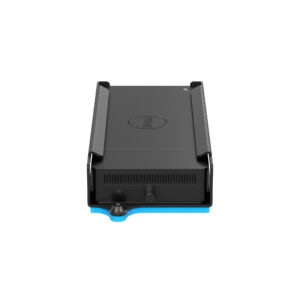
Where to Mount a Docking Station?
RackSolutions Docking Station Mounts can be mounted in multiple configurations. To maximize desk space, simply attach the mounting bracket to your dock and mount it on the wall or under a desk. Our secure wall mounts can be installed vertically or horizontally, with the dock placed right side up or upside down. By using our mounts, you can deploy multiple devices for large-scale installations rather than single installments.
They are perfect for large-scale projects in settings like professional or industrial settings such as offices, office hoteling (desk hoteling), schools, libraries, shared spaces, and labs.
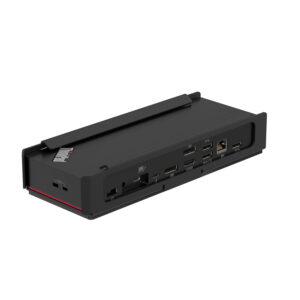
Why You Need a Docking Station Mount
Overall, mounting a docking station improves cable management and provides easier access to ports and connections. It also creates a cleaner, more efficient workspace by improving the positioning of laptops and peripherals.
Combining security and accessibility, RackSolutions Docking Station Mounts provides a space-saving solution, allowing you to mount your dock for a clutter-free workspace. Our secure mounts feature a barrel locking mechanism and key to prevent your dock from unwanted access, equipment damage, and potential theft.
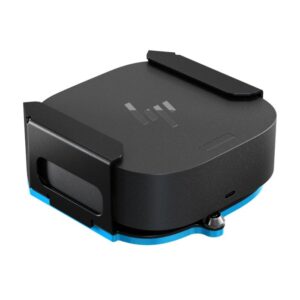
We provide mounts for Dell, HP, and Lenovo. If you have any questions about our mounts, you can contact our team at info@racksolutions.com or call 888-505-RACK for more information!
FAQs: PC Dock
Can any model work with any laptop?
No, you will not be able to use any model with any laptop. Even though most modern laptops use universal USB-C or Thunderbolt standards, the compatibility depends on your laptop’s port capabilities, operating system, and power requirements. For proper functionality, the dock’s technology must be compatible with your laptop’s supported specifications.
What are the different types of docking stations?
They are typically categorized by their connection technology (USB-C, Thunderbolt, or proprietary) and their form factor (stationary or portable).
What’s the difference between a USB-C dock and a Thunderbolt dock?
A USB-C dock supports one 4K monitor or two 1080p monitors and covers 95% of users. With a Thunderbolt dock, it supports dual 4K displays, external GPUs, and higher-wattage charging.