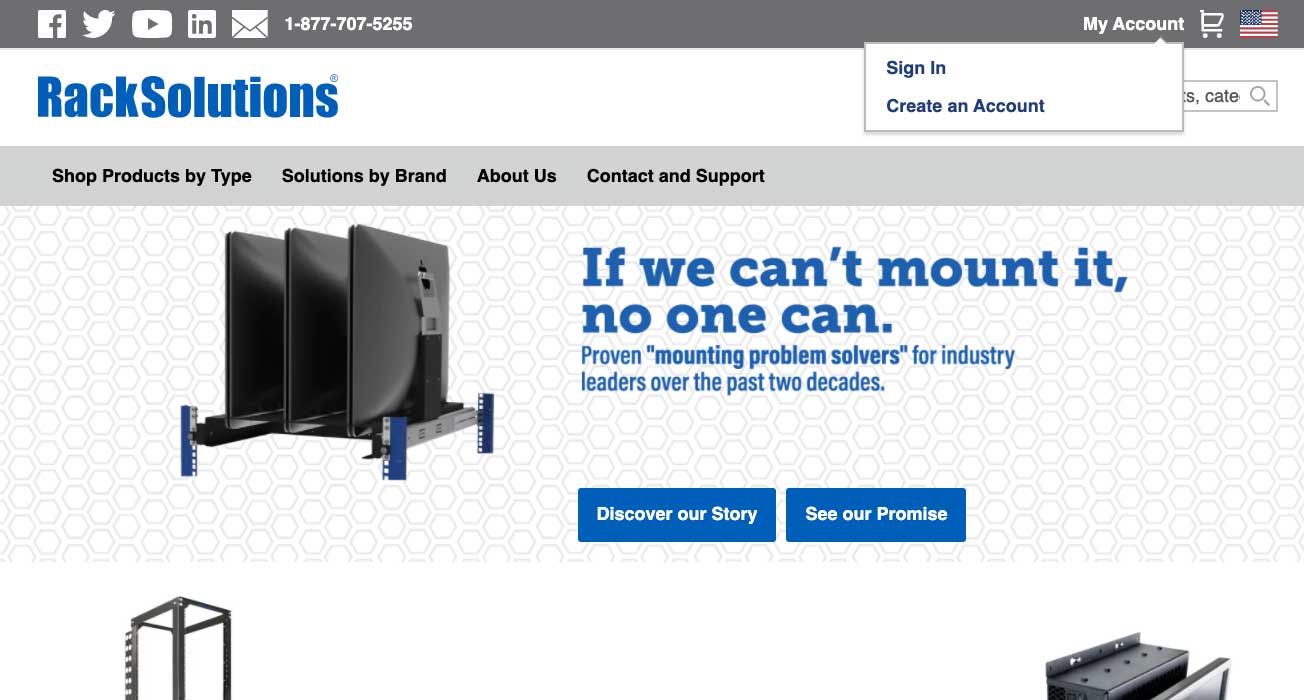
Click on "My Account" and click the "Sign In" tab.
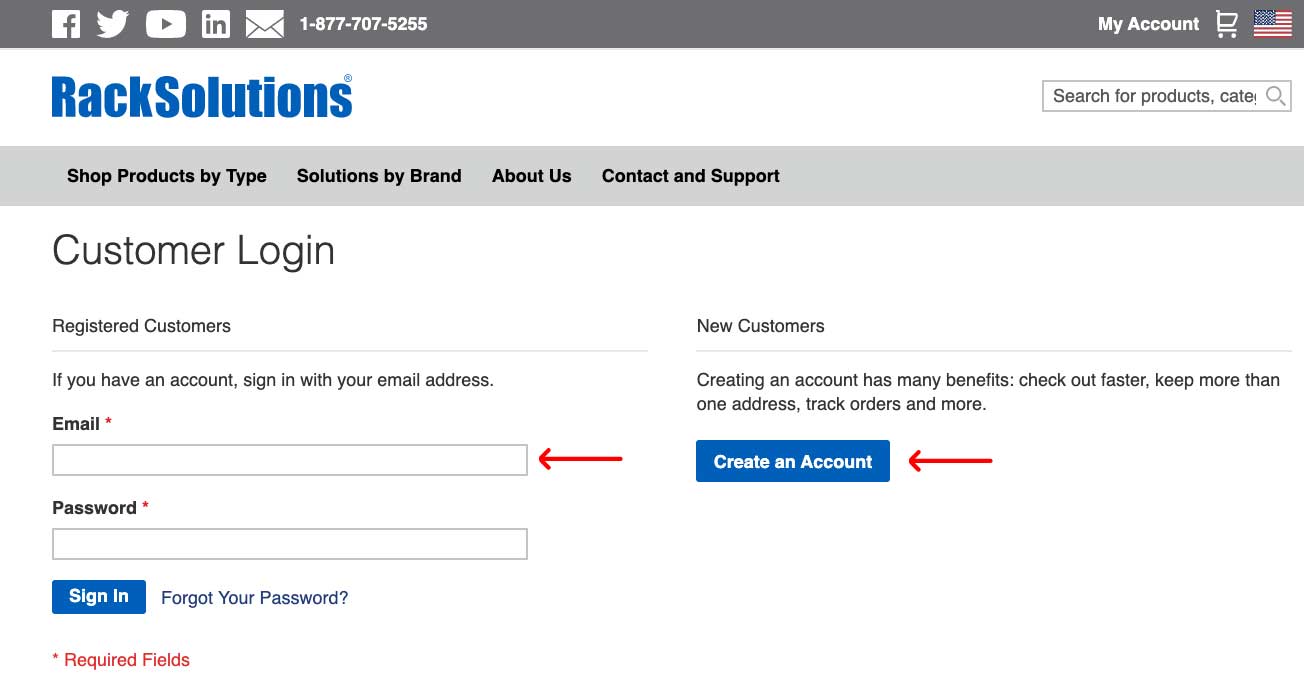
Step 2:
If you are new to RackSolutions, create an account, if not log in with your email address and password.
Step 3:
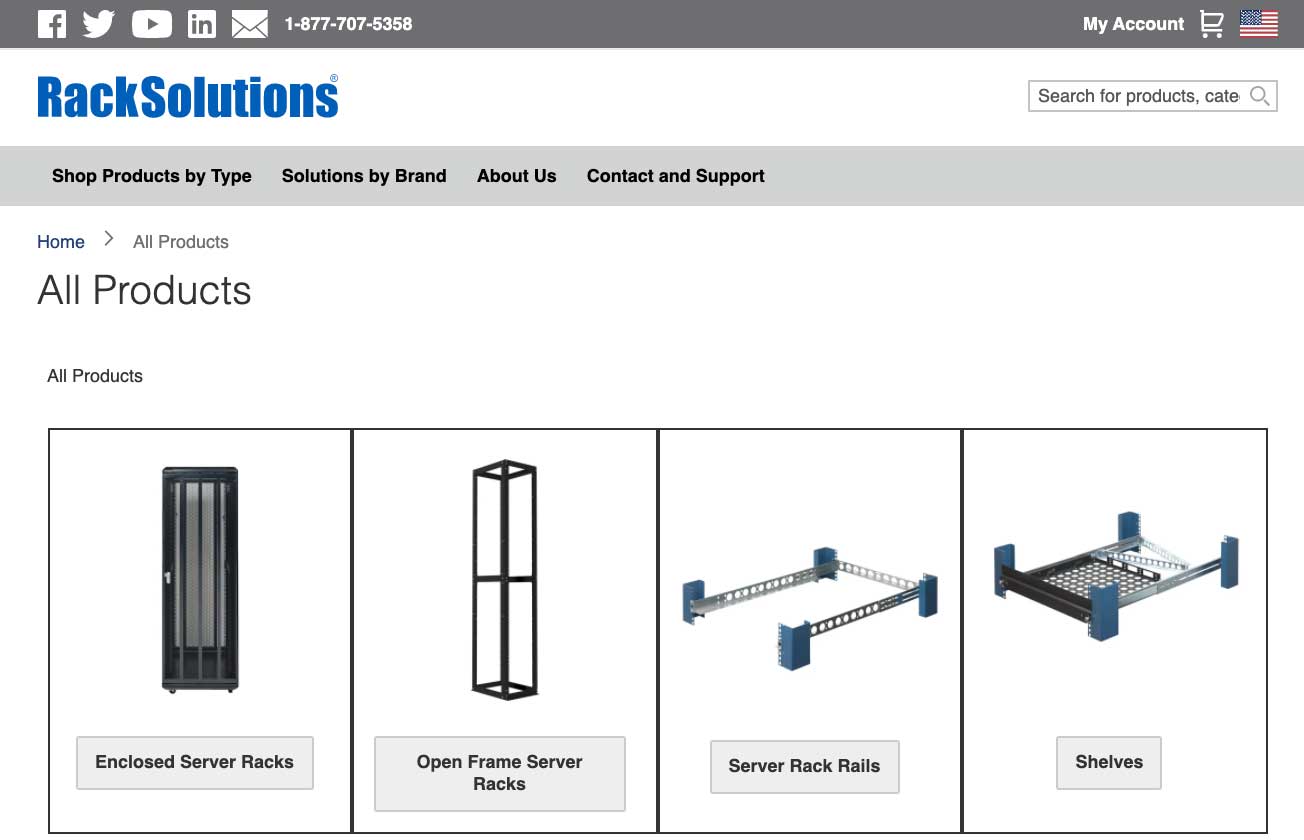
Once you have logged in, shop around RackSolutions for the product(s) you want to be quoted on.
Step 4:
Once you have found the product(s) you are looking to be quoted for, add them to your cart.
Step 5:
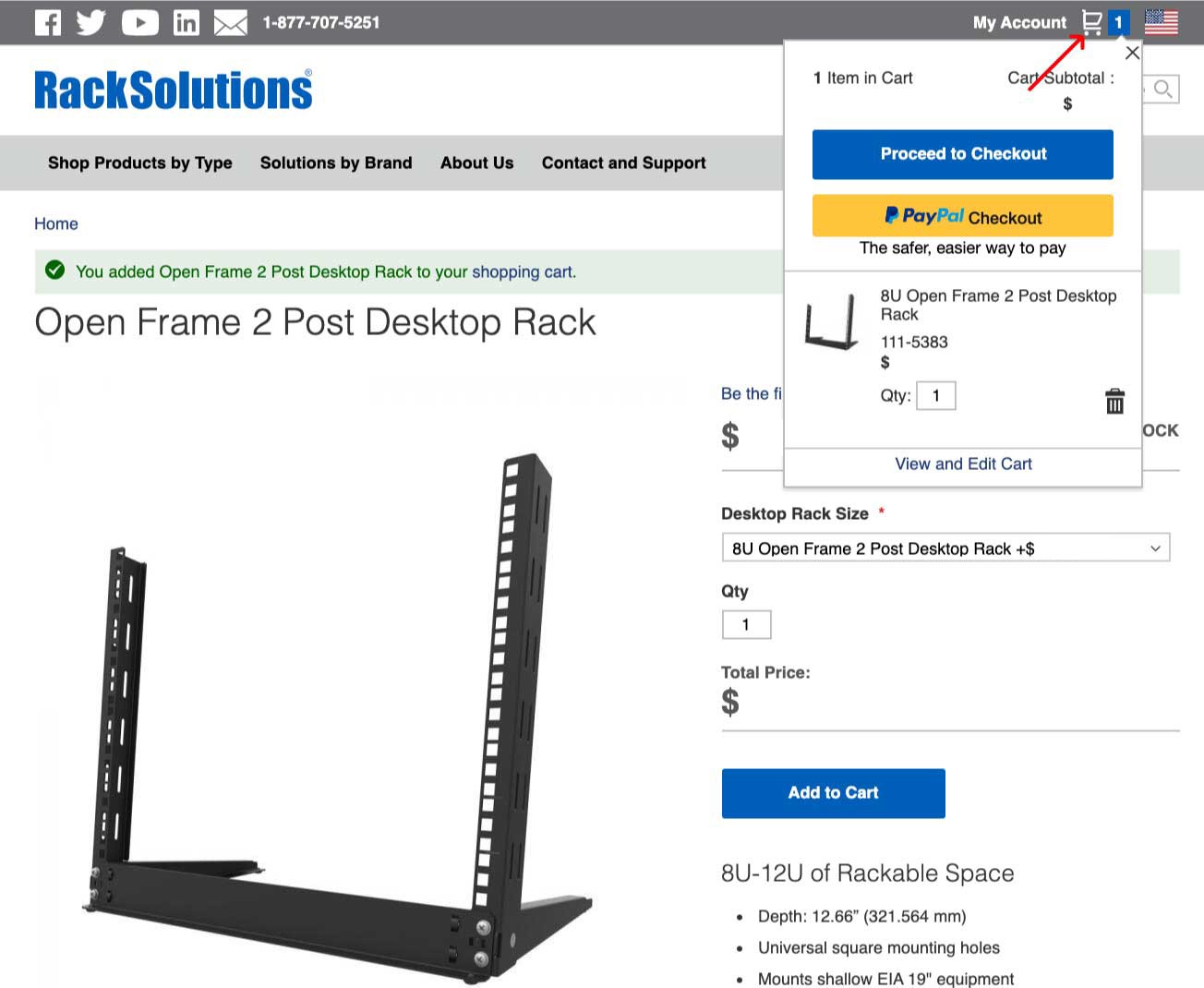
When you are done adding the product(s) you want a quote on, click on your shopping cart.
Step 6:
Click “Proceed to Checkout”.
Step 7:
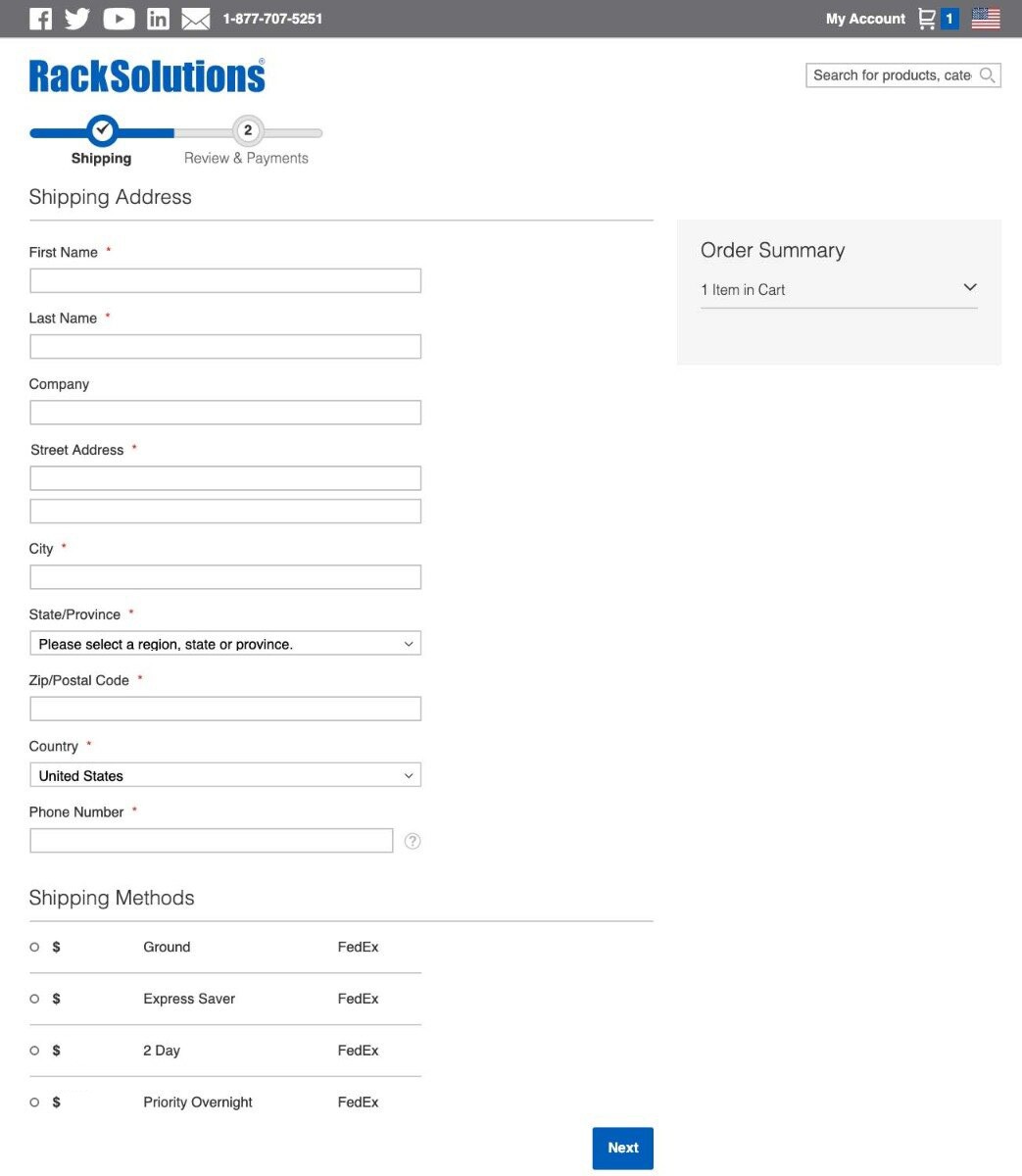
Fill in the required information.
Step 8:
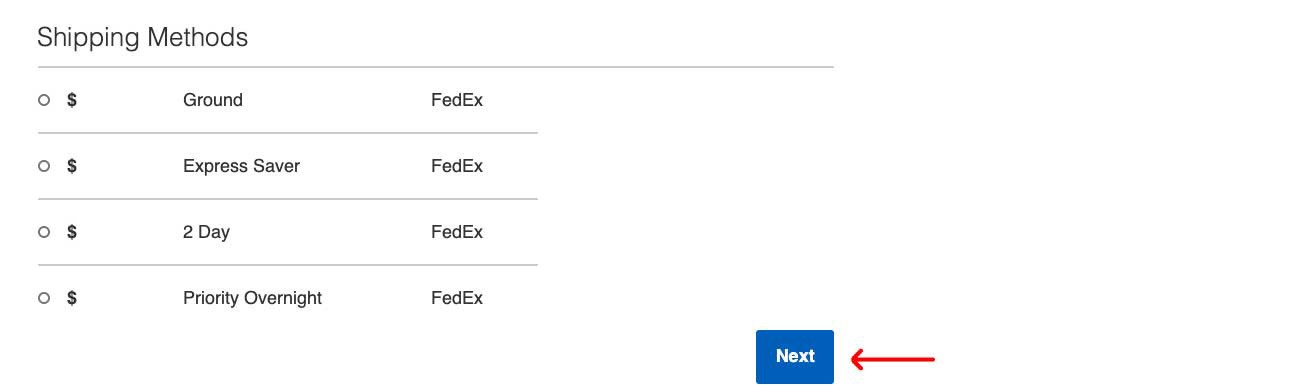
Select your shipping method and then click “Next”.
Step 9:
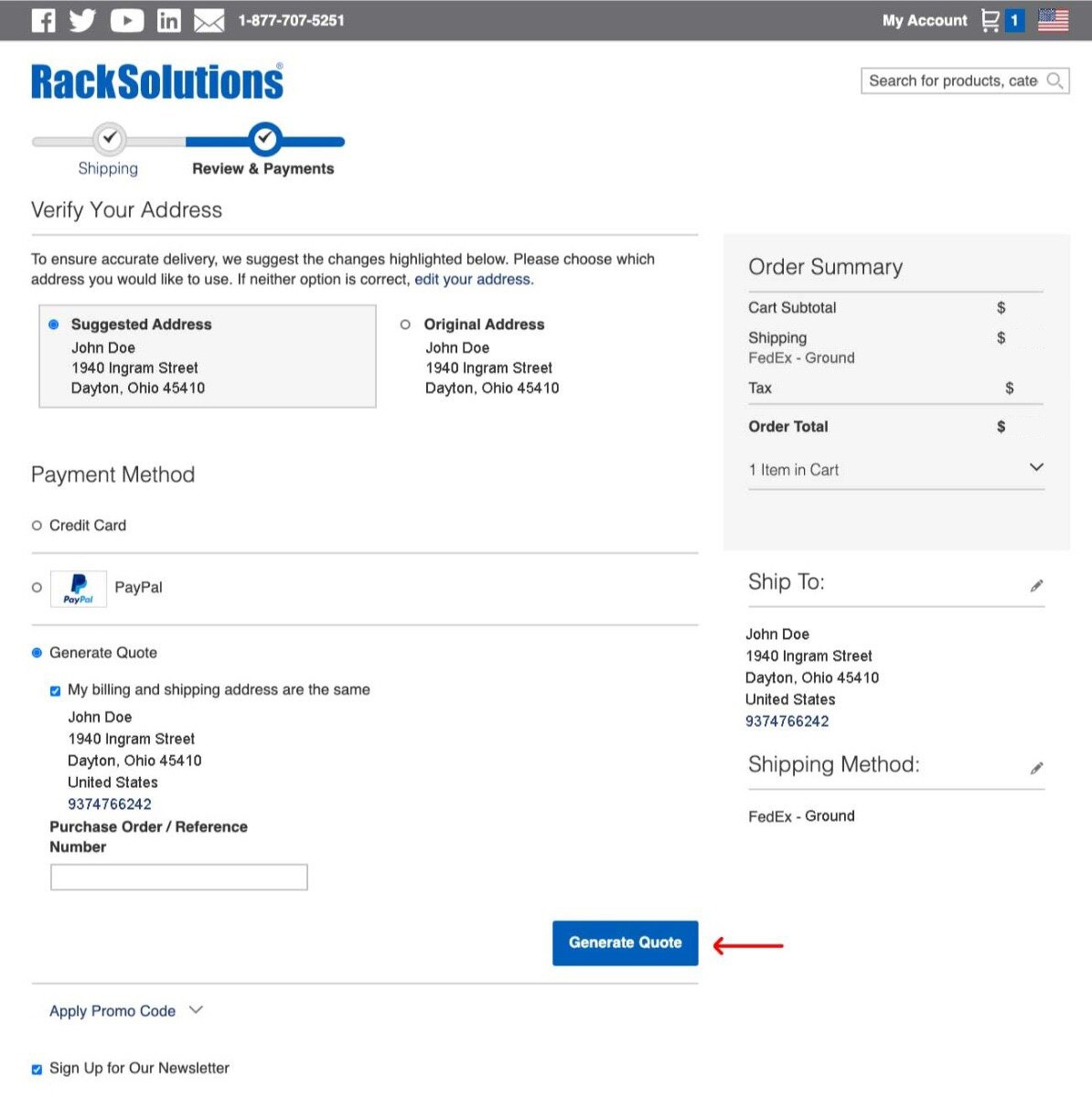
Ensure all your information is correct, then select “Generate Quote”.
Step 10:
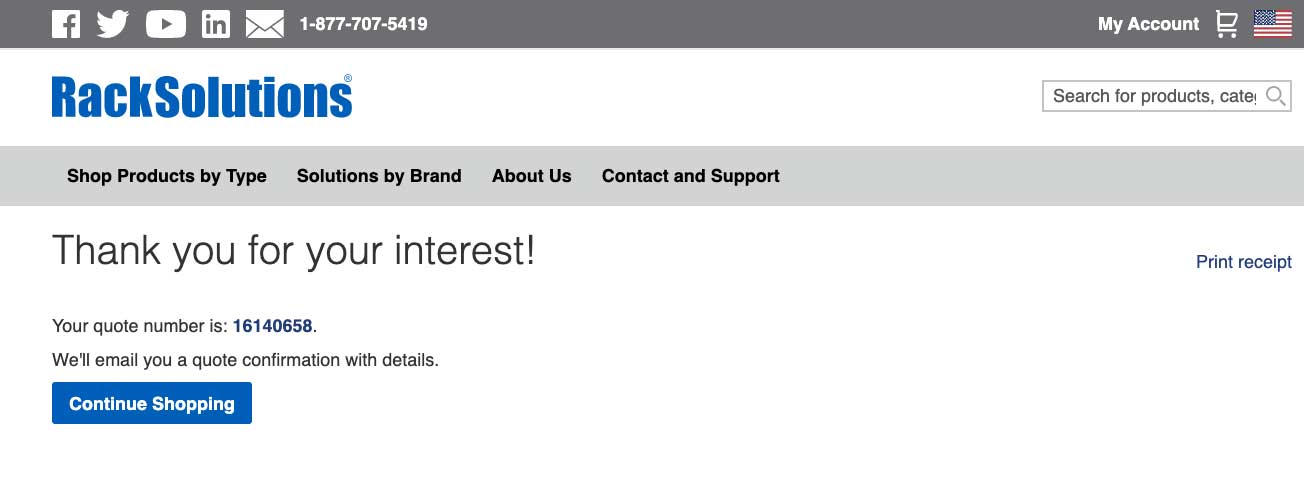
You will be prompted with a “Thank you for your interest!” landing page.
Step 11:
Check the email address you provided in the information section of the request a quote process, you will have a generated quote from RackSolutions!